
- By admin
- In Uncategorized
TV Mounting in San Antonio: The small details that make installs secure, clean, and built to last
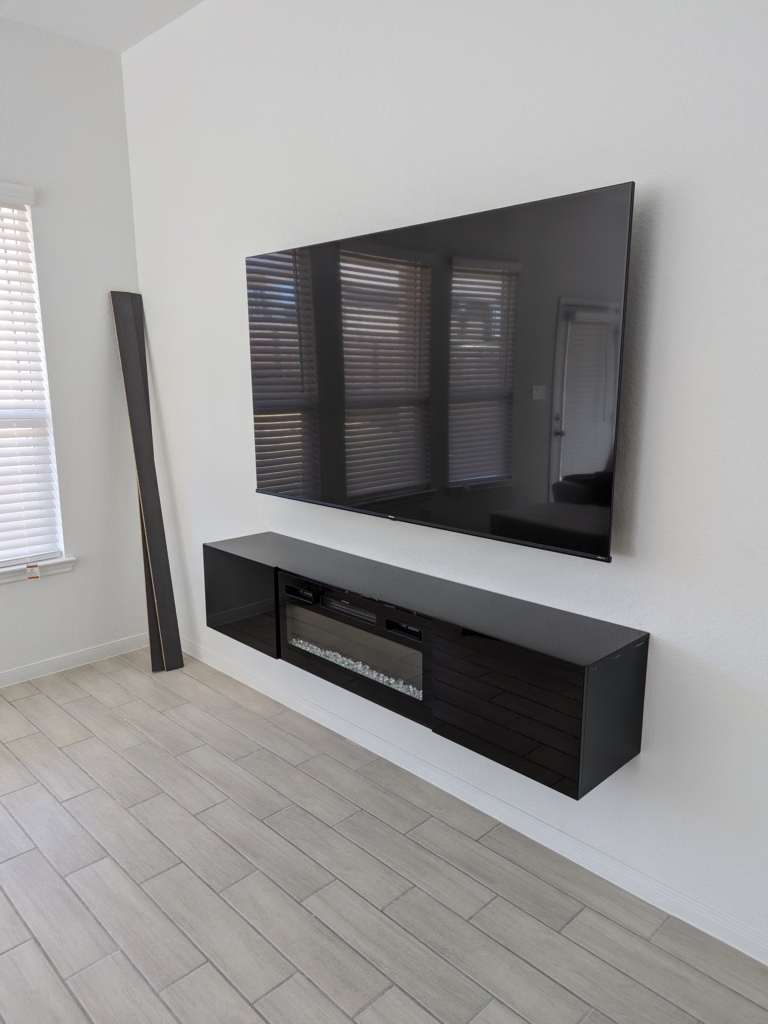
Most TV mounts look simple, but the secret is in the details that keep your screen secure, clean, and perfectly positioned. You don’t want a wobbly bracket or tangled wires spoiling your setup. In San Antonio, professional TV mount installation means matching the right bracket, finding studs, and hiding cables just right—so your wall looks sharp and your TV stays put for years. Keep reading to see what makes a mount truly built to last. For more insights, check out this guide.
Essential TV Mounting Details
When it comes to TV mounting, every detail counts. Knowing the right techniques and tools ensures your TV stays secure and your wall remains pristine. Let’s dive into the essentials.
Secure TV Installation Techniques
Securing your TV is more than just screwing it to the wall. It’s about using the right tools and techniques. First, always choose a bracket designed to support your TV’s weight and size. A full-motion TV bracket offers flexibility, allowing you to tilt and adjust the screen for optimal viewing. This is especially useful in rooms with multiple seating areas.
Next, consider the wall type. Whether it’s drywall, brick, or stone, each requires a different approach. For drywall, you’ll need to locate studs for a firm hold. On brick or stone walls, masonry anchors are essential for security. If you’re interested in learning more about TV mount choices, this TV Mount Choosing Guide can help you make an informed decision.
VESA Mount Compatibility Explained
Understanding VESA standards is key to a smooth installation. VESA, or Video Electronics Standards Association, provides guidelines for mounting hole patterns. Most TVs and mounts follow these standards, ensuring compatibility.
Before purchasing a mount, check your TV’s VESA size, which is typically listed in the manual. Common sizes range from 200x200mm to 600x400mm. Knowing your TV’s VESA size will help you pick the right mount, ensuring a snug fit and reducing the risk of accidents.
Stud Finding and Lag Bolts
Stud finding is crucial for a stable installation. Use an electronic stud finder to locate the studs behind your wall. Once found, mark the spots where your mount’s screws will go.
Lag bolts are your best friend when attaching the bracket to studs. These bolts offer superior strength and stability. Remember, a well-secured TV is not just about the mount but also the integrity of what’s holding it up. For more on securing mounts, visit this DIY StackExchange thread.
Clean and Professional Finish

A clean installation is the hallmark of professional service. Hiding wires and ensuring everything looks tidy is just as important as stability.
Wire Concealment and Cable Management
No one likes a mess of wires dangling from the TV. Effective wire concealment involves using in-wall power kits and cable management systems. These kits hide wires inside the wall, giving your setup a polished look.
Cable management also includes labeling and organizing cables for easy access and maintenance. This ensures your setup remains tidy and functional, making future upgrades and troubleshooting a breeze.
Smart TV Setup and Placement
Placing your TV correctly enhances your viewing experience. The ideal height and angle depend on your room’s layout and seating arrangement. A tilt TV mount can help adjust the angle to reduce glare and improve comfort.
Smart TV setup goes beyond placement. It includes connecting your TV to Wi-Fi, downloading necessary apps, and syncing with other devices. This step transforms your TV into a true entertainment hub, ready for streaming and gaming.
Over-Fireplace and Masonry TV Mounting
Mounting a TV over a fireplace or on masonry requires special considerations. Heat and height can affect viewing comfort and TV longevity. Use a mount that allows for heat dissipation and adjustable viewing angles.
For masonry walls, specialized anchors and tools are necessary. These ensure your TV stays secure without damaging the wall. Over-fireplace installations often require longer cables and strategic placement to keep everything neat and functional.
Post-Installation Assurance

Once your TV is mounted, ensure everything is working as expected. Post-installation checks are vital for peace of mind.
Testing and Verification Steps
Testing your setup involves checking the stability of the mount and the functionality of all connected devices. Make sure your TV is level and secure. Test all cables and connections to confirm everything is working seamlessly.
Verification steps also include checking for loose wires and ensuring all components are properly aligned. This step is crucial for preventing future issues and maintaining a clean look.
Documentation for Peace of Mind
Keep documentation of your setup, including diagrams and installation guides. This helps with future adjustments and troubleshooting. Knowing what was done and why can save time and stress later on.
Documenting your setup also includes saving receipts and warranties. This information is invaluable for support and potential repairs.
Add-Ons for Home Theater Installation 🎯
Enhancing your TV setup with additional components can elevate your viewing experience. Consider adding a soundbar for improved audio, or integrating a streaming device for expanded content access.
Home theater installations offer the ultimate entertainment experience. They include surround sound systems, projectors, and custom lighting. These add-ons create a cinematic atmosphere in the comfort of your home.
Frequently Asked Questions
What is VESA mount compatibility?
VESA mount compatibility refers to a standardized pattern of holes on the back of your TV and the mount that ensures a secure fit. Most TVs and mounts follow these guidelines, making it easier to find a match.
How do I find studs for TV mounting?
To find studs, use an electronic stud finder. Move it along the wall until it signals a stud’s location. Mark the spot and repeat to confirm the position. This ensures your TV is securely mounted.
What’s the best way to hide TV wires?
The best method for hiding TV wires is using an in-wall power kit. These kits allow you to run cables through the wall, keeping them out of sight and creating a clean, professional appearance.
Can I mount a TV over a fireplace?
Yes, you can mount a TV over a fireplace. Use a mount designed for higher heat areas and ensure it can adjust for comfortable viewing angles. Proper installation prevents heat damage and maintains optimal viewing.
What should I test after TV installation?
After installation, check the TV’s stability and ensure all connections work correctly. Confirm that the TV is level and test any additional devices, like soundbars or streaming boxes, to verify they function as expected.