
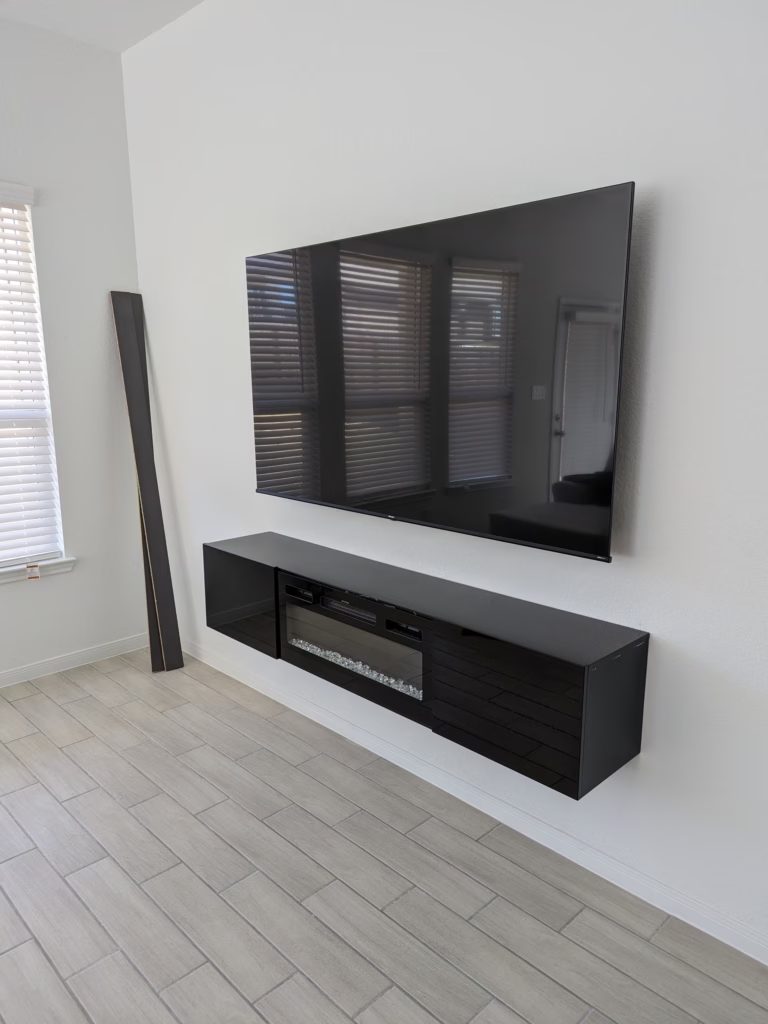
- By admin
- In Uncategorized
How to Choose the Right TV Mount for Your Wall Type and Viewing Angle (San Antonio Guide)
Mounting your TV isn’t just about slapping it on the wall and calling it a day. The wrong mount or placement can lead to shaky setups, awkward viewing angles, and even damage to your walls or TV. Knowing your wall type, TV size, and ideal viewing height makes all the difference. In this guide, we’ll break down how to pick the perfect TV mount for your space and get that picture looking just right with expert TV mounting San Antonio pros.
Understanding Wall Types
Understanding the type of wall in your home is crucial for a safe and secure TV mount. Let’s explore the challenges and solutions for different wall types.
Navigating Drywall and Studs
Drywall is common in most homes, and finding the right studs is essential for a secure mount. Use a stud finder to locate wooden or metal studs behind the drywall. Wooden studs are ideal for mounting as they provide strong support. If you have metal studs, you might need special toggle bolts for added stability. Always ensure your mount aligns with the studs to prevent any mishaps.
Tackling Concrete and Brick Walls
Mounting a TV on concrete or brick walls can be tricky, but it’s possible with the right tools. Use a hammer drill with masonry bits to create holes for anchors. These walls offer excellent support once the anchors are in place. Ensure you use the correct size anchor to match the weight of your TV. It’s a more challenging task, but the solid foundation these walls offer is worth the effort.
Over Fireplace Challenges
Mounting a TV over a fireplace presents unique challenges, including heat exposure and viewing angles. Ensure your fireplace mantel doesn’t obstruct the TV. Use a quality mount designed to handle heat and keep your TV safe. Consider a full-motion mount for adjusting angles, especially if the fireplace is used frequently. This setup requires careful planning but can result in a stylish and functional installation.
Choosing the Right Mount

Selecting the perfect mount is as important as understanding your wall type. Here’s what you need to know about different mounts.
Fixed vs. Tilt vs. Full Motion
Different TV mounts offer varying degrees of movement. A fixed mount keeps your TV flat against the wall, ideal for rooms where glare isn’t a concern. Tilt mounts allow for vertical adjustments, reducing glare from lights or windows. Full-motion mounts provide the most flexibility, letting you adjust the TV in all directions. Choose based on your room’s layout and your viewing preferences.
Matching Mount to TV Size and Weight
Ensure your mount matches your TV’s size and weight. Check the mount’s specifications for the maximum weight it can support. A mount that supports a heavier TV than yours is a safer choice. Remember, larger TVs need more support, so opt for a mount designed for larger screens if necessary. This will keep your TV secure and your mind at ease.
VESA Patterns Explained
VESA patterns are the standardized holes on the back of your TV. Your mount must match these patterns for compatibility. Measure the horizontal and vertical distances between the holes to find your VESA size. Most mounts list compatible VESA sizes, simplifying your selection. Matching these ensures a straightforward installation without compatibility issues.
Achieving Optimal Viewing
For the best viewing experience, consider these factors when installing your TV.
Ideal TV Height and Angle
The perfect TV height is at eye level when seated. Measure the height of your seating area and ensure the center of your screen aligns with your eyes. This prevents neck strain and enhances viewing comfort. If your seating arrangement changes, consider a mount that allows for height adjustments to maintain optimal viewing.
Reducing Glare and Reflections
Glare can ruin your viewing experience. Position your TV away from direct sunlight or bright lights. If glare is unavoidable, use a tilt or full-motion mount to adjust the screen’s angle. You can also use curtains or blinds to control light levels in the room. These small adjustments make a big difference in picture quality.
Professional Cable Management Options
Cable management ensures a clean and tidy setup. Use cable covers or raceways to hide wires along the wall. Clips and ties can bundle cables behind the TV for a neat appearance. Professional installation services often include cable management, leaving you with a sleek and organized entertainment area. A tidy setup not only looks great but also prevents accidental cable damage.
📺🎉
Frequently Asked Questions
What is the best height to mount a TV?
For the best viewing experience, mount your TV so the center of the screen is at eye level when you are seated. This reduces neck strain and enhances comfort.
Can I mount a TV on a concrete wall myself?
Yes, but it requires the right tools and anchors. You’ll need a hammer drill with masonry bits and sturdy anchors to ensure a secure mount.
What is a VESA pattern?
A VESA pattern refers to the standardized hole spacing on the back of your TV. It’s crucial your mount matches this pattern for proper installation.
What type of mount should I use over a fireplace?
Consider a full-motion mount for over a fireplace. It allows you to adjust the TV’s angle and manage heat exposure better than fixed or tilt mounts.
How can I reduce glare on my TV screen?
Position your TV away from direct sunlight and bright lights. Use curtains or adjust the screen angle with a tilt or full-motion mount to minimize glare.