
- By admin
- In Uncategorized
Before the First Cable: The Office AV & IT Pre-Install Checklist
Pulling the first cable without a solid plan is like building a house without a blueprint—it rarely ends well. If you’re gearing up for office AV installation San Antonio, skipping steps like room discovery, network checks, and power planning can lead to costly delays and headaches. This checklist breaks down what you need before wiring begins, so your conference room AV, video conferencing setup, or security camera installation goes smooth from day one. Ready to plan it right? Book a free on-site site survey with our veteran-owned team today. Learn more about the process here.
Room Discovery & User Needs
Understanding the space and its users is the first step toward a successful installation. Without this, you can end up with a setup that doesn’t meet your needs.
Assessing Space and Functionality
Before anything else, evaluate your office’s layout. This assessment helps you understand how the space can best serve its purpose. Consider factors like room size and seating arrangements. These elements influence the placement of equipment, ensuring optimal audio and visual quality. Don’t forget to note any architectural features that might affect sound or screen visibility.
Identifying Specific User Requirements
Every office is different. Start by talking to the people who will use the space. Find out what they need from the AV setup. Maybe they need easy access to video conferencing tools or specific software integrations. Understanding these needs ensures the installation supports daily tasks, making operations smooth and efficient.
Planning for Video Conferencing Setup
Video conferencing has become essential for many businesses. When planning, think about camera angles, microphone placement, and speaker locations. This will ensure everyone in the room is seen and heard clearly. Remember, the goal is to make the technology work seamlessly with the existing room layout.
Network Capacity & Power Needs
A robust network and reliable power are crucial for any AV setup. Without them, even the best equipment won’t perform well.
Evaluating IT Network Assessment
Start with a thorough network evaluation. Ensure your current infrastructure can support high-definition video and audio. Bandwidth is key here. You need to know if your network can handle the load without lag or interruptions. Consider consulting with a professional to get a detailed assessment.
Understanding Power and PoE Cameras
Power is another critical component. You’ll need to plan for power outlets and consider using Power over Ethernet (PoE) cameras for easy installation and fewer cables. These cameras get power and data through a single Ethernet cable, simplifying installation and reducing clutter.
Planning Rack and Power Conditioning
Organize your equipment in a rack for easy access and maintenance. Power conditioning is also important to protect sensitive equipment from voltage spikes. This step ensures that your setup not only works well but also lasts longer.
Mounting Points & Cable Paths

How you mount your equipment and manage cables can make or break the visual appeal of your setup.
Deciding on Commercial TV Mounting
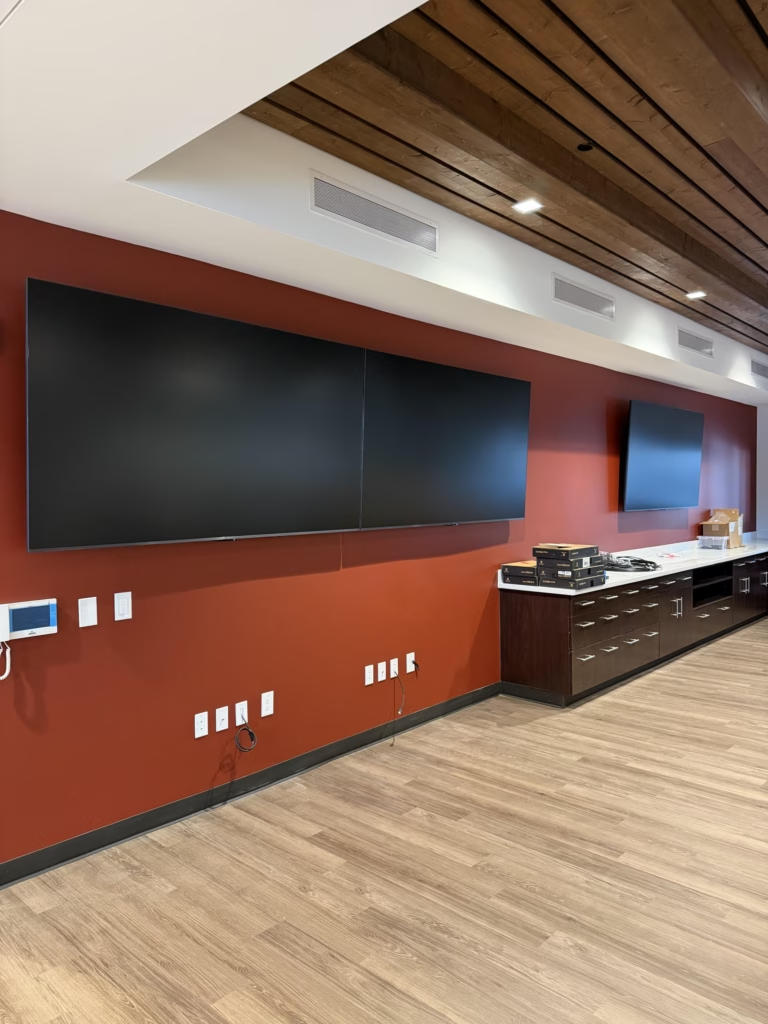
Choosing the right mounting solution is vital for safety and aesthetics. Depending on your wall type, you’ll need different mounting hardware. The right choice ensures your TV is secure and looks good, contributing to a professional atmosphere.
Structured Cabling and Cable Management
Good cable management can’t be overstated. Plan your cabling paths to minimize exposure and tangling. Structured cabling helps keep everything organized, reduces clutter, and simplifies future maintenance. It’s a key element of a clean, professional installation.
Security Camera Installation San Antonio
Finally, plan the placement of security cameras for optimal coverage. Think about entry points and vulnerable areas. Cameras should blend in but be positioned to cover all necessary angles. Security doesn’t have to be an eyesore; with proper planning, it can be both effective and discreet.
Frequently Asked Questions
What is the first step in planning an office AV installation?
The first step is conducting a room discovery to assess space and functionality. This helps determine the best setup for your specific needs.
Why is network capacity important for AV installations?
Network capacity ensures your setup can handle high-definition video and audio without interruptions. It’s vital for a seamless experience.
How do PoE cameras simplify installation?
PoE cameras use a single Ethernet cable for both power and data, which reduces the need for multiple cables and simplifies the installation process.
What should be considered when planning cable management?
Consider the path and organization of cables to reduce clutter and simplify maintenance. Structured cabling is essential for a clean, professional look.
How important is assessing user needs in AV installations?
Assessing user needs ensures the AV setup supports daily tasks and meets the specific requirements of those who will use it most.