- By admin
- In Uncategorized
The Overlooked Late‑Summer Maintenance Checklist for TVs, Home Theaters, and Security Systems (San Antonio Edition)
Late summer sneaks up fast, and so do power spikes and dust buildup that silently sabotage your TV, home theater, and security system. Skipping your seasonal checklist means risking blurry picture, audio glitches, or worse—a security camera that goes dark right when you need it. Keep your setup sharp and storm-ready with our San Antonio late summer home maintenance tips that cover everything from surge protector inspection to projector filter cleaning. Ready for crisp picture, clean cables, and rock‑solid security before football kickoff? Book your Late‑Summer System Tune‑Up with TSGSAN today. Call or book online—appointments fill fast! 💪📺🔒
Late-Summer TV Maintenance
As summer winds down, it’s the perfect time to ensure your TV setup is in top shape. Power surges and dust can wreak havoc, so let’s dive into specifics that can make a difference.
San Antonio TV Mounting Tips
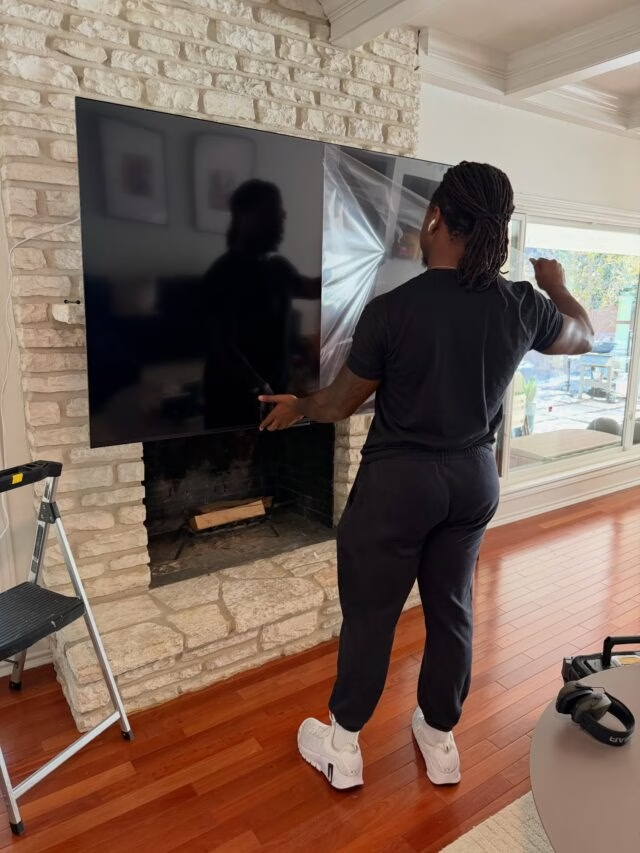
Mounting your TV correctly is crucial for both aesthetic and functional reasons. A well-mounted TV prevents accidents and provides an optimal viewing angle. In San Antonio, where wall materials vary widely, it’s essential to know what you’re dealing with. For instance, if your wall is made of brick, you’ll need special tools and mounts compared to standard drywall.
When mounting, check for nearby outlets to minimize cord exposure. Proper cable management is key for a clean look. If you’re unsure, it might be worth getting professional help to ensure everything is secure and level. Remember, a well-mounted TV not only looks great but also enhances your viewing experience.
Cable Management Solutions
A tangle of cables can be both unsightly and a potential hazard. By organizing your cables, you ensure a safer environment and enhance the aesthetic of your living space. Start by labeling each cable. This makes it easier to identify and manage them in the future. Use cable ties or clips to bundle cables together neatly.
Investing in a cable management box can also help keep everything tidy. If your setup allows, consider running cables through the wall for a cleaner look. This not only improves organization but also protects the cables from potential damage. Proper cable management is a simple task that can vastly improve your setup’s appearance and function.
Power Conditioning Essentials
Protecting your electronics from power surges is crucial, especially during stormy months. Power conditioners can help stabilize the electricity running to your devices, preventing potential damage. Look for power strips with built-in surge protection and consider a whole-home surge protector for added security.
Regularly check your equipment’s connections to ensure they remain secure and free from dust. Over time, dust can accumulate, causing overheating and potential failure. A quick vacuum or duster can prevent this. Keeping your setup clean and protected ensures longevity and optimal performance of your electronics.
Home Theater Optimization
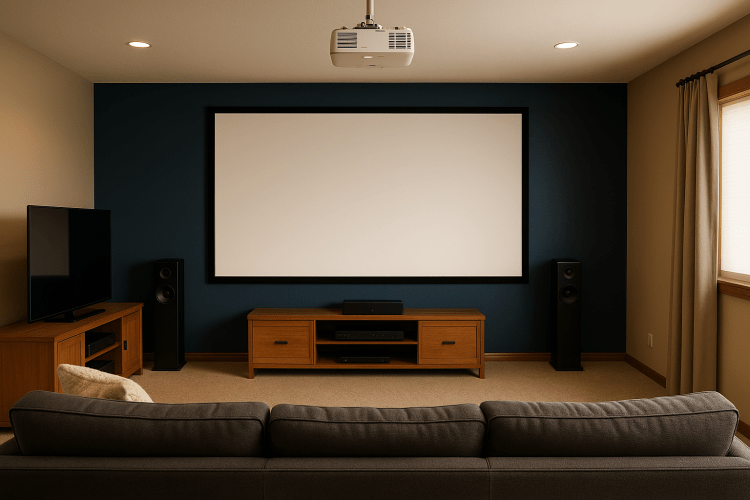
Moving from TVs to home theaters, let’s ensure your setup provides the best cinematic experience possible. A few tweaks can make a world of difference in sound and picture quality.
AV Calibration San Antonio
Calibrating your audio-visual equipment can significantly enhance your viewing experience. In San Antonio, there are professionals who can fine-tune your system to perfection. Calibration involves adjusting the settings of your audio and video devices to match the acoustics and lighting of your room.
This process ensures that colors are vibrant and true-to-life, while sound is crisp and clear. For instance, if your speakers are too close to a wall, it might be causing unwanted echoes. Calibration can address these issues, providing a more immersive experience. If you’re unsure about doing it yourself, consider hiring a professional for optimal results.
Projector Filter Cleaning
Over time, dust can accumulate in your projector, affecting both the brightness and clarity of the picture. Cleaning your projector’s filter is a simple task that can prevent this. First, ensure the projector is off and unplugged. Then, remove the filter and gently clean it using a soft brush or compressed air.
Regular cleaning can prevent overheating and prolong the life of your projector. It’s a small task, but one that ensures your movie nights remain clear and vibrant. Keeping your projector in good shape means fewer interruptions and a better viewing experience overall.
eARC Troubleshooting Guide
The Enhanced Audio Return Channel (eARC) offers superior sound quality, but it can sometimes be tricky to set up. Ensure all your devices are eARC compatible and that you’re using the correct HDMI cables. If you’re experiencing issues, double-check your device settings and ensure the latest firmware is installed.
Sometimes, simply unplugging and reconnecting the cables can resolve issues. If problems persist, consulting the device’s manual or seeking professional help might be necessary. With eARC properly set up, you’ll enjoy clearer, more dynamic sound, elevating your home theater experience.
Security System Health Check

Ensuring your security system is in peak condition is vital for peace of mind. Regular maintenance can prevent potential failures and keep your home safe.
NVR Health Check Steps
Your Network Video Recorder (NVR) is central to your security system. Regularly checking its health ensures continuous monitoring and recording. Start by ensuring the NVR is in a well-ventilated area to prevent overheating. Check the hard drive’s status to ensure it’s functioning correctly and has enough storage space.
Periodically test the system by reviewing recorded footage to ensure everything is captured clearly. Regular maintenance can prevent unexpected issues, ensuring your security system operates smoothly and effectively.
Outdoor Camera Cleaning
Outdoor cameras are exposed to the elements, which can affect their performance. Regular cleaning can prevent issues like blurry footage or obstructed views. Start by ensuring the camera is off, then use a soft cloth or lens cleaner to gently wipe the lens.
Check for any obstructions like leaves or spider webs and remove them. Regular cleaning not only improves picture quality but also prolongs the life of your cameras. Keeping them clean ensures your property is monitored clearly, providing peace of mind.
Firmware Updates and Inspections
Keeping your security system’s firmware updated ensures it operates with the latest features and security patches. Regularly check for updates and install them as soon as they’re available. This not only enhances performance but also addresses potential vulnerabilities.
In addition to updates, periodically inspect the entire system for any physical damage or wear. By staying proactive with updates and inspections, you ensure your security system remains reliable and effective.
Frequently Asked Questions
What are the benefits of TV mounting in San Antonio?
Mounting a TV improves your viewing experience by providing optimal angles and reducing glare. It also saves space and adds a modern touch to your room.
How often should I clean my projector filter?
It’s recommended to clean your projector filter every three to six months, depending on usage and environment. Regular cleaning ensures better picture quality and prolongs the projector’s lifespan.
Why is eARC important for home theaters?
eARC provides enhanced audio quality, supporting high-bitrate audio formats like Dolby Atmos. It ensures you’re getting the best sound from your home theater system.
How do I maintain my outdoor security cameras?
Regularly clean the lens and check for obstructions like leaves or webs. Ensure the camera is securely mounted and periodically check the connections.
What should I do if my NVR isn’t recording properly?
Check the hard drive status and ensure there’s enough storage space. Restart the NVR and ensure all connections are secure. If issues persist, consult the manual or seek professional help.