
- By admin
- In Uncategorized
A Clean Install Still Needs Maintenance: What to Check First for Home Theater, TV Mounts, and Security
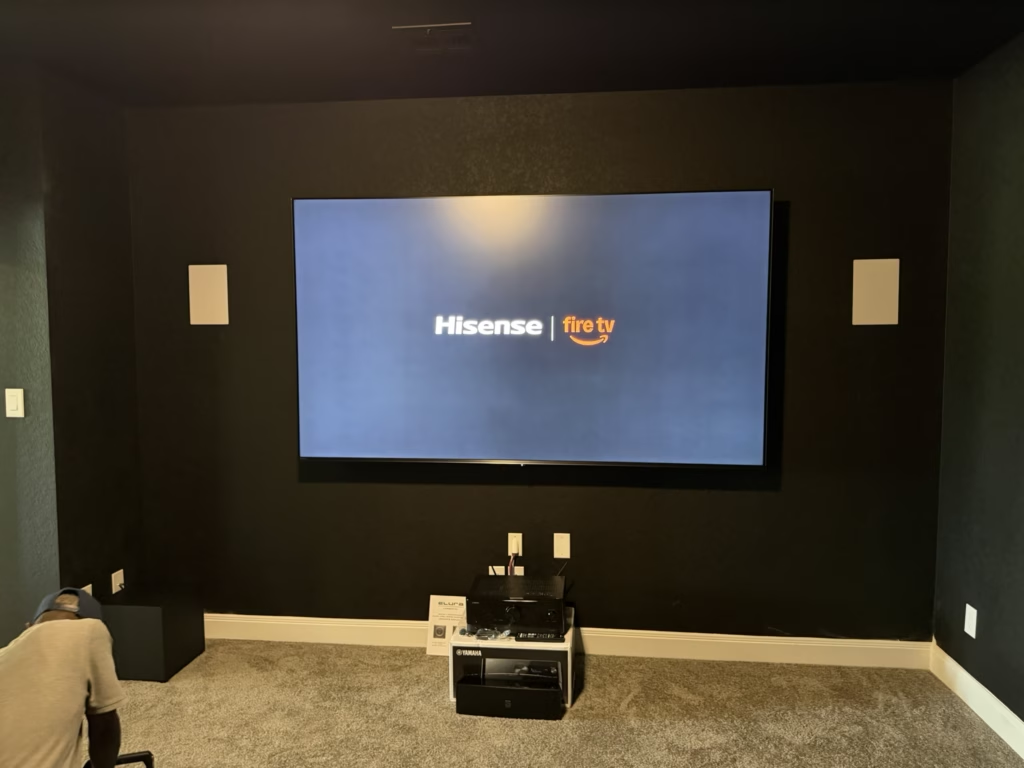
A flawless install doesn’t mean set-it-and-forget-it. Even the best San Antonio TV mounting or home theater setup needs a careful safety check and fine-tuning after the dust settles. Skipping these essential steps can lead to loose mounts, audio glitches, or security camera blind spots down the line. Let’s walk through the must-do maintenance that keeps your system running smooth and safe, so you get the most from your investment. For more tips on maintaining your home setup, check out this link.
Essential Maintenance Checks
After setting up your home entertainment system, it’s vital to ensure everything is secure and running smoothly. This section covers the most important checks to keep your system top-notch.
TV Mount Safety Check
Start by inspecting your TV mount. A secure mount ensures your TV stays on the wall without any accidents. Check the screws and brackets for tightness. If you notice any looseness, re-tighten them using the appropriate tools.
It’s also important to verify that the mount can handle the weight of your TV. Consult your TV’s manual or a professional TV mounting service if you’re unsure. Additionally, examine the wall for signs of stress or damage, such as cracks or shifts. Address these issues immediately to prevent potential hazards.
Home Theater Maintenance Tips
Your home theater setup can deliver cinema-like experiences, but it requires regular maintenance. First, clean your equipment, including speakers and screens, to remove dust and debris that can affect performance.
Keep your cables organized and tucked away to prevent tripping hazards and signal interference. Use cable ties or covers to achieve a neat appearance. If you have a projector, maintain its lens and filters by cleaning them periodically to ensure a clear picture. Remember, well-maintained equipment equals a better viewing experience.
Importance of AV Calibration
Audio and video calibration boosts your system’s performance. To start, adjust sound settings to match your room’s acoustics. Many systems offer auto-calibration features, which can be a great help.
For picture quality, use a calibration disc or hire a professional to fine-tune your display settings. This guarantees vibrant colors and sharp images, maximizing your enjoyment. Regular calibration keeps your system performing at its best, making movie nights unforgettable.
Smart Home and Security Care

Your smart home and security systems need attention too. With regular checks, you ensure they function correctly, keeping your home safe and convenient.
Smart Home Maintenance Essentials
Smart homes bring convenience, but they need regular oversight. Begin with checking your smart devices for updates. These updates often fix bugs and enhance functionality. Additionally, ensure all devices are connected to a stable network for seamless operation.
Battery-operated devices like sensors or remote controls need fresh batteries regularly. Test your smart lighting and ensure it’s functioning as expected. Lastly, keep an eye on your smart thermostat settings to maintain a comfortable home environment.
Security Camera Maintenance Guide
Security cameras deter intruders and provide peace of mind, but only if they work properly. Start by cleaning the camera lenses. Dust and dirt can obscure the view, reducing effectiveness. Use a soft, dry cloth for the job.
Check the camera’s field of view and adjust if necessary to cover all angles. Ensure all cables are secure and that the recording device is functioning. Regularly review footage to spot potential issues and make sure everything is being recorded properly.
Firmware Updates for Smart Devices
Firmware updates are crucial for keeping your smart devices running smoothly. These updates improve performance and security. Begin by checking for updates in your device’s app or settings menu.
Schedule regular checks for updates to stay current. Many devices offer automatic updates, which can simplify the process. Keeping firmware updated ensures your devices operate at peak performance, enhancing your home’s safety and convenience.
Network and Power Health

Your network and power setup form the backbone of your smart home. Maintain them to prevent disruptions and ensure reliable operation.
Wi-Fi Optimization Strategies
A strong Wi-Fi connection is essential for a functioning smart home. Start by placing your router in a central location to maximize coverage. Avoid placing it near microwaves or metal objects that can cause interference.
Consider changing your Wi-Fi channel if you notice slow speeds or dropouts. Use a Wi-Fi analyzer app to see which channel is less crowded. If needed, invest in a mesh network or extenders to boost coverage throughout your home.
Home Network Health Check
Regularly checking your home network prevents connectivity issues. Begin by running speed tests to ensure you receive the bandwidth you’re paying for. Check all connected devices to see if any are using excessive data.
Secure your network with a strong password to prevent unauthorized access. Regularly update your router’s firmware to improve security and performance. A robust network keeps your smart devices functioning smoothly.
Power and Surge Protection Tips
Protecting your devices from power surges is crucial. Use surge protectors for all your electronics to prevent damage from electrical spikes. Regularly inspect these protectors for wear or damage, replacing them if necessary.
Consider installing a whole-house surge protector for comprehensive protection. During storms, disconnect non-essential devices to avoid potential damage. Keeping your devices safe from power issues ensures their longevity and reliability.
Frequently Asked Questions
Why is TV mount safety important?
TV mount safety is crucial to prevent accidents and equipment damage. Regular checks ensure the mount is secure and can handle the TV’s weight, protecting your investment and household safety.
How often should I clean my home theater equipment?
Clean your home theater equipment every few months or as needed. Dust and debris can affect performance, so regular cleaning helps maintain optimal audio and video quality.
What are the benefits of Wi-Fi optimization?
Optimizing your Wi-Fi improves connection stability and speed, ensuring all smart devices function properly. A well-optimized network enhances your overall smart home experience.
How can I keep my security cameras effective?
Keep security cameras effective by cleaning lenses, maintaining a clear field of view, and ensuring all connections are secure. Regular footage reviews and checking the recording device are also important.
Why are firmware updates necessary for smart devices?
Firmware updates improve device performance, fix bugs, and enhance security. Regular updates ensure your smart devices operate smoothly and safely, providing the best user experience.