
- By admin
- In Uncategorized
Plan the Perfect Home Theater: Better Sound, Comfy Viewing, and Cleaner Wiring (San Antonio Guide)
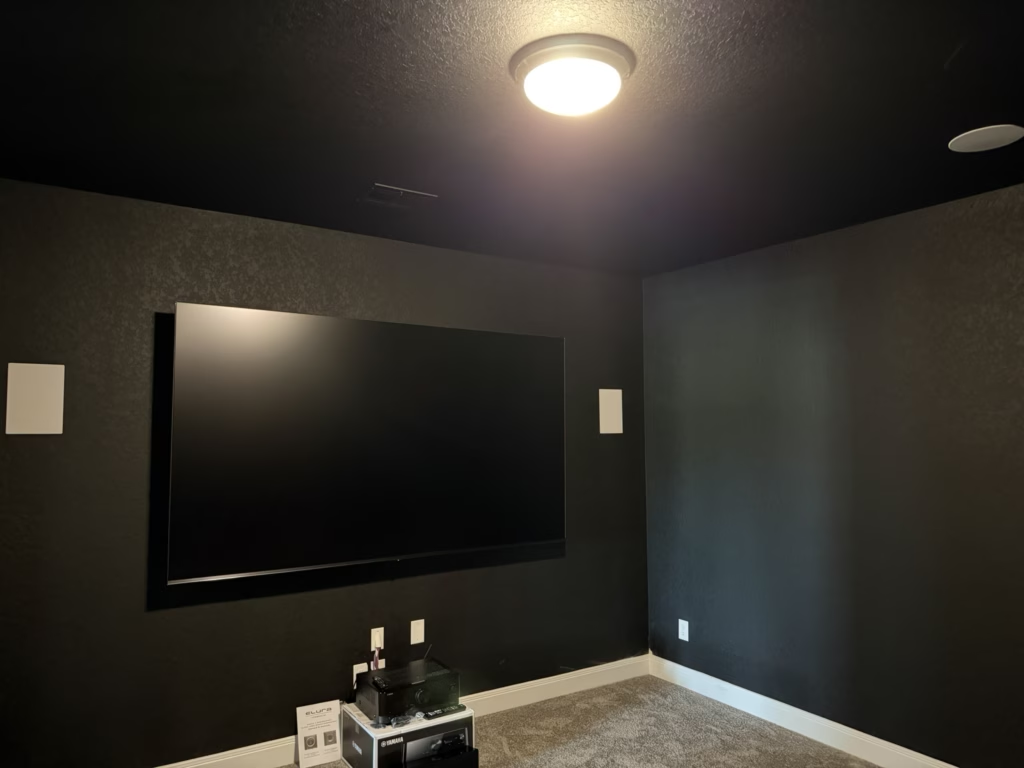
Most home theaters start with a big screen and good speakers—but messy wires and awkward seating can kill the vibe fast. Getting your home theater layout right means nailing viewing distance, speaker placement, and cord concealment from the start. Keep reading to learn how to plan your space for top-notch sound, comfy viewing, and clean wiring—so your San Antonio setup looks sharp and sounds even better.
Perfect Home Theater Setup
Creating your ideal home theater involves a series of deliberate choices. Let’s dive into the essential components, starting with your viewing setup.
Optimal Viewing Distance and Screen Size
To achieve a cinema-like experience, consider both screen size and how far you’ll sit from it. First, measure your room to determine available space. The perfect viewing distance depends on your screen size. A general rule is to sit 1.5 to 2.5 times the diagonal length of the screen away. For example, if you have a 60-inch screen, aim for a viewing distance between 90 and 150 inches.
Seating plays a crucial role as well. Comfort boosts enjoyment, so choose seating that supports long movie marathons. Arrange seats so every spot has a clear, direct view. Even in small spaces, optimal arrangements enhance your experience and make the most of your home theater layout.
Speaker and Subwoofer Placement
Next, let’s maximize your sound setup. Proper speaker placement is vital for a surround sound experience. Start by positioning front speakers at ear level, angled toward the seating area. If you’re using a 5.1 or 7.1 system, place rear speakers slightly above ear level. This helps create a balanced sound field.
Subwoofer placement affects bass quality. Test different spots to find where bass sounds fullest without overwhelming other sounds. Corners can amplify bass, but try a few locations to find what works best for your room. Proper placement ensures your audio setup complements your visual experience.
Choosing Projector vs TV
Deciding between a projector and a TV depends on room size and viewing preferences. A projector offers a larger image, ideal for big spaces. Ensure your room can be darkened to enhance picture quality. TVs, on the other hand, are great for well-lit rooms and easy to set up. They offer vibrant colors and are often more affordable for smaller screens.
Consider your typical use: projects suit cinematic experiences, while TVs handle daily viewing well. Both options have merits, so choose based on your room’s needs and your personal viewing habits.
Acoustic and Wiring Solutions

Now that you’ve got the basics down, let’s talk acoustics and wiring. These elements ensure your setup looks and sounds remarkable.
Acoustic Treatment Tips
Acoustics can make or break your theater experience. Start by identifying sources of echo or unwanted noise. Soft furnishings like curtains and carpets can absorb sound, reducing echo. For a more professional setup, consider acoustic panels. These help manage sound reflections, enhancing clarity and immersion in your audio.
Don’t overlook door seals and window treatments. They keep sound contained and external noise out, making your space feel more like a dedicated theater.
Clean Cord Concealment Ideas
No one likes tangled cords. Hide them away for a tidy look. Use cable management kits to bundle cords together. Raceways can run along walls to keep cables out of sight. For a more permanent solution, consider routing cables through walls.
Keeping cables organized not only improves aesthetics but also makes maintenance easier. A clean setup enhances your theater’s overall look, making the space inviting and sophisticated.
In-wall Wiring and Wire Management
For a sleek appearance, in-wall wiring is the gold standard. It’s perfect for keeping cables hidden and protected. This requires some planning, but the result is a seamless look that complements your theater’s design. Wire management solutions, such as cable organizers, can also help keep everything in order.
Consider hiring a professional for installation, especially for complex setups. This ensures safety and reliability, giving you peace of mind that your system is set up correctly.
Equipment and Smart Features

With your theater layout in place, let’s integrate the latest tech to elevate your experience.
AV Receiver and HDMI 2.1 Setup
An AV receiver is the heart of your home theater. It connects and controls all components, from audio to video. When choosing a receiver, ensure it supports HDMI 2.1 for the best picture and sound quality. This enables features like higher frame rates and dynamic HDR.
Set up your receiver to handle multiple inputs, so you can easily switch between devices. Proper configuration maximizes performance and ensures your system runs smoothly.
Smart Lighting Scenes for Ambiance
Lighting sets the mood for your viewing experience. Smart lighting allows you to customize scenes with ease. Use dimmable lights to create a cinema-like atmosphere. Program lighting scenes for different activities, like watching movies or playing games. Control them all from your smartphone for ultimate convenience.
Smart lighting not only enhances enjoyment but also adds a touch of luxury to your setup. It’s an easy upgrade that makes a big impact.
Equipment Rack and Power Bridge Kit 🚀
Organizing your equipment is crucial for a clean look. An equipment rack keeps components tidy and accessible. Ensure your rack has proper ventilation to prevent overheating. For power, consider a power bridge kit. It provides a safe way to run power behind walls without messy cables. This setup maintains a polished appearance and ensures your equipment runs efficiently.
Investing in organization tools helps maintain a neat space, ensuring your home theater is both functional and stylish.
Frequently Asked Questions
What is the best viewing distance for my TV?
The best distance is 1.5 to 2.5 times the diagonal size of your TV. This range offers an immersive viewing experience without straining your eyes.
How do I improve the acoustics in my home theater?
Use soft furnishings like carpets and curtains to absorb sound. For a more professional setup, consider acoustic panels to manage sound reflections effectively.
What are the benefits of in-wall wiring?
In-wall wiring offers a clean, clutter-free look. It protects cables, enhances safety, and contributes to a professional appearance in your home theater setup.