
- By admin
- In Uncategorized
12 TV Mounting Mistakes to Avoid Before You Drill a Single Hole
Mounting your TV might seem simple, but skipping key steps can lead to headaches you don’t want. From choosing the right height to avoiding no-stud mount risks, many San Antonio homeowners hit the same pitfalls before a single hole is drilled. We’ll walk you through 12 common TV mounting mistakes so your setup looks clean, stays safe, and delivers the best viewing experience. Skip the guesswork—let’s get your TV mounted right the first time. For more insights, check out this guide on common TV mounting mistakes.
Common TV Mounting Mistakes
Let’s kick things off by exploring typical blunders that can trip you up when mounting a TV. Knowing these will help you secure a seamless setup.
Incorrect Viewing Distance
Getting the viewing distance wrong can strain your eyes and diminish your TV experience. The ideal distance depends on your TV size. For instance, if you have a 55-inch TV, sitting about 7 feet away usually offers the best picture quality. This range keeps everything clear and avoids eye discomfort. Most folks think they can eyeball it, but measuring ensures precision.
When planning your room, keep furniture placement in mind. Arrange your seating so it’s centered with the TV, maintaining the ideal distance. Furniture too close can make the screen overwhelming, while too far can make details hard to see.
Misjudging TV Mount Height
Mounting your TV too high or too low can be a neck pain—literally. A common mistake is placing the TV above eye level when seated. The center of your TV should ideally be at eye level for a comfortable viewing angle. If your TV is 42 inches tall, the center should be about 56 inches from the floor for an average seated viewer.
Check out this guide on TV mounting mistakes for more details. If you’re mounting over a fireplace, remember to consider the extra height. A tilting mount can help adjust the angle, making the viewing more comfortable even at higher placements.
Overlooking TV Weight Limits
Ignoring the weight specs of your mount can lead to disaster. Each mount has a weight capacity you shouldn’t exceed. A TV that’s too heavy for its mount risks crashing down, leading to costly repairs or replacements. Always check the mount’s instructions to match your TV’s weight and size.
When shopping for mounts, read the fine print. Look for reinforcement if you’re unsure about the wall’s sturdiness. For heavy TVs, it’s wise to use a mount designed for brick or masonry walls. If in doubt, consult a professional to avoid wall damage from improper mounting.
Essential Installation Tips

Armed with knowledge of mistakes, let’s delve into crucial tips for a flawless TV installation.
Understanding VESA Patterns
VESA patterns are the standardized spacing of mounting holes at the back of your TV. These measurements ensure compatibility between the TV and the mount. Common patterns include 200x200mm or 400x400mm. Knowing this helps you pick the right mount.
Before buying, measure the back of your TV for the VESA pattern. It’s like picking the right size shoes—you want a perfect fit. If you’re uncertain, consult your TV’s manual or check the manufacturer’s website. Aligning the right pattern prevents mounting hassles and ensures a snug fit.
Choosing the Right Mount
Selecting the right mount depends on your viewing habits and space. Do you need a full-motion mount for flexibility, or will a fixed mount suffice? Full-motion mounts are great for rooms where you need to swivel the TV, while tilt mounts help with glare reduction.
Consider your wall type as well. Different mounts cater to various surfaces like drywall or brick. For more guidance, explore full motion vs tilt mounts. Don’t compromise on quality—choose a mount that suits your needs and holds your TV securely.
Importance of Stud Finders
Stud finders are crucial to secure a stable mount. They help locate studs in your wall, which are necessary to anchor your TV safely. Mounting directly into a stud offers the best stability.
Using a stud finder is simple. Run it horizontally along the wall until it beeps, signaling a stud. Mark its location and ensure your mount aligns with these points for maximum security. Skipping this step can lead to a risky no-stud mount, which might not hold your TV securely.
Advanced Setup Strategies
With the basics covered, let’s upgrade your setup with advanced strategies that can make your TV area a standout feature.
Hiding Wires in Walls
Visible wires can spoil an otherwise sleek look. Hiding them creates a cleaner appearance and prevents tripping hazards. Use cable management kits to guide wires through the wall or along baseboards.
If you’re not comfortable with in-wall setups, surface raceways are a great alternative. These are easy to install and paintable to match your wall color. When tackling this project, patience is key. Measure twice and cut once to maintain a neat look.
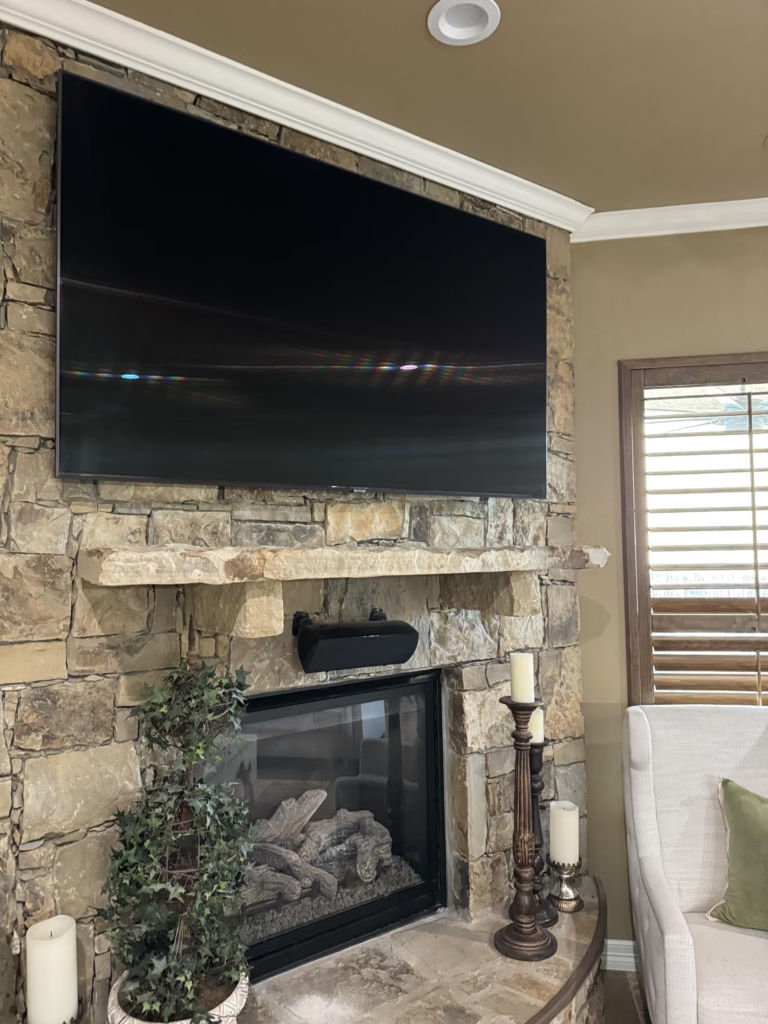
Securing Over Fireplace Mounts
Mounting a TV over a fireplace requires caution. The heat from the fireplace can affect your TV’s longevity. Ensure there’s adequate space between the TV and the fireplace to minimize heat exposure. Always check the temperature with a thermometer before deciding.
Use a specialized mount designed to handle the unique challenges of this setup. They often include tilt functions to adjust angles for comfort and safety. And remember, a professional consultation can provide peace of mind when dealing with such complex installations.
Soundbar and Speaker Placement 🎯
Proper soundbar and speaker placement enhances your home theater experience. Place your soundbar directly under the TV for the best audio alignment. For speakers, aim to create an equidistant triangle between them and your primary seating area.
Consider acoustics when placing speakers. Avoid placing them too close to walls, which can distort sound. Elevate them to ear level when seated for the best quality. If your setup allows, test different placements until you find the sweet spot for optimal sound.
Frequently Asked Questions
How far should I sit from my TV?
For a 55-inch TV, sit about 7 feet away for optimal viewing.
What is the ideal height to mount a TV?
The center of your TV should be at eye level when seated, around 56 inches from the floor for most people.
Can I mount a TV without finding a stud?
While possible, it’s risky. Studs provide the best support for a secure mount.
How do I manage cables when mounting a TV?
Use in-wall kits or surface raceways to hide and organize cables for a clean look.
Is it safe to mount a TV above a fireplace?
Yes, but ensure there’s enough space and use a specialized mount to minimize heat exposure.