
- By admin
- In Uncategorized
How to choose the right TV mount for your wall type and room layout (San Antonio guide)
Choosing the right TV mount isn’t just about picking the prettiest bracket. Your wall type, TV size, and room setup all play a big role in making sure your screen stays secure and looks great. This TV mount guide breaks down what you need to know—from drywall and metal studs to brick and concrete walls—so you get the perfect fit every time. Skip the guesswork—book your TV mounting with TSGSAN today. Request your free consult and get same-week installation.
Choosing the Perfect TV Mount
Understanding Wall Types
Your wall type sets the stage for mounting success. Different materials need different approaches. Drywall, brick, concrete: each has unique challenges. Knowing your wall type helps you pick the right mount and tools.
Drywall is common in most homes. It’s easy to work with but requires careful handling to avoid damage. Brick and concrete walls are sturdier, supporting heavier TVs but need special anchors and drills. Always consider wall strength and compatibility before starting.
Studs and Load Assessment
Studs are your TV’s best friend. They provide crucial support, ensuring your mount holds steady. Finding studs isn’t hard: a stud finder is your go-to tool. Once located, you can confidently hang your TV without worry.
Without studs, you need alternatives like toggle bolts. They spread the load, giving your TV a secure grip. Always check your TV’s weight and size against the mount’s capacity. Proper load assessment prevents mishaps down the road.
VESA Pattern Explained
The VESA pattern is your mounting blueprint. It standardizes mount holes across TV brands, simplifying setup. Look for the pattern size in your TV manual or measure it yourself. Matching this to your mount ensures a snug fit.
If your TV and mount don’t align, adapters can bridge the gap. Knowing your VESA pattern saves time and frustration. It’s a small detail with big impact on your mounting experience.
Types of TV Mounts

Fixed vs Tilt vs Full Motion
Mounts come in flavors: fixed, tilt, and full motion. Fixed mounts are simple, holding TVs close to the wall. They’re great for flat surfaces where you don’t adjust viewing angles often.
Tilt mounts add flexibility, letting you angle the TV to reduce glare. They’re perfect for higher placements, like over a fireplace. Full motion mounts offer the most movement, ideal for versatile viewing in open spaces or shared rooms. Choose based on your room’s needs and your viewing habits.
Corner and Ceiling Mounts
Corners and ceilings are untapped real estate for TVs. Corner mounts maximize space, offering great angles in tight spots. They’re adjustable, letting you pivot and tilt as needed.
Ceiling mounts are great for rooms with limited wall space. They offer a unique look and can be tilted for the best view. Both options require careful planning and sturdy installation, but offer creative solutions for unconventional layouts.
Above Fireplace Solutions
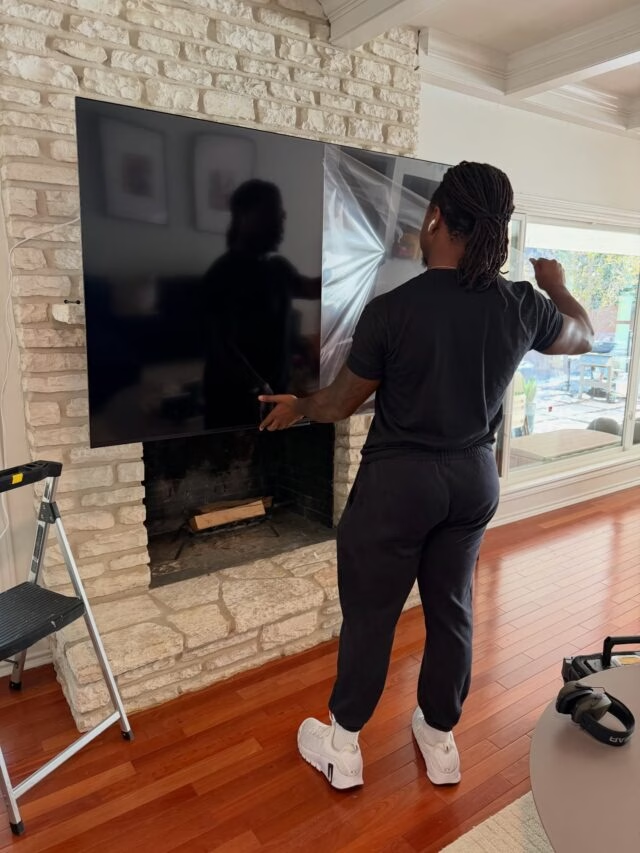
Mounting a TV above your fireplace creates a central focal point. It’s stylish, but involves heat considerations. Ensure there’s enough space between the TV and the heat source to avoid damage.
Use a tilt mount to angle the screen for comfortable viewing. This setup combines aesthetics with practicality, keeping your TV safe and your space looking sleek.
Perfecting Your Room Layout

Ideal TV Viewing Height
Finding the right TV height changes your viewing experience. Eye level is the sweet spot: center the screen to your seated line of sight. This prevents neck strain and offers the best picture.
If mounting higher, like over a fireplace, tilt mounts help adjust the angle. Measure twice, mount once for a perfect fit that enhances every show or movie night.
Glare Reduction and Tilt
Natural light is beautiful, but can cause screen glare. Tilt mounts help combat this, letting you adjust the TV’s angle. A few degrees can make a huge difference in picture clarity.
Consider your room’s lighting when choosing your mount. Tilt options give you control over glare, ensuring a comfortable and clear view anytime.
Cable Concealment and Power Options
Tidy cables mean a polished look. Use raceways or in-wall kits to hide cords, keeping your setup sleek. It’s not just about aesthetics: concealed cables reduce tripping hazards too.
For power, ensure outlets are accessible. Extensions or new outlets may be needed for optimal placement. A clean setup enhances your room and keeps things safe.
Frequently Asked Questions
How do I know what type of wall I have?
Look at your wall’s surface and texture. Drywall feels smooth, bricks have a rough, block-like appearance, and concrete is solid and hard. A simple knock test can also help you determine wall type.
What is a VESA pattern, and why is it important?
A VESA pattern is the spacing of mounting holes on the back of your TV. It ensures compatibility between your TV and the mount. Knowing this helps you choose the right mount for your TV size.
Can I mount a TV on a brick wall?
Yes, you can mount a TV on a brick wall with the right anchors and tools. Use masonry bits and heavy-duty anchors to secure the TV properly, ensuring it holds steady.
What height should my TV be mounted?
The ideal height places the center of the screen at eye level when seated. This reduces neck strain and offers the best viewing experience, typically around 42-60 inches from the floor.
How can I reduce glare on my TV screen?
To reduce glare, use a tilt mount to adjust the screen angle. Consider your room’s lighting and position the TV to minimize direct reflections from windows and lights.